
Saddleback Leather – Sleeve Wallet

I’ve had back problems on and off for a while.  I’ve started going to a chiropractor, and she recommended that I remove the wallet from my back pocket.  It didn’t comfortably carry in the front pocket, so I got a new one that does.  The Saddleback Leather “Sleeve Wallet.”  I know I tagged this Made in USA, but this is actually made in Mexico.  Or at least mine was, they have a USA model now as well.  It holds “up to 12 cards,” though so far I only have three in mine since that is all I need.  I carry license, debit card, and one credit card.  Perfect!  And it fits just right in normal pants pockets without any bulging, even in dress slacks.
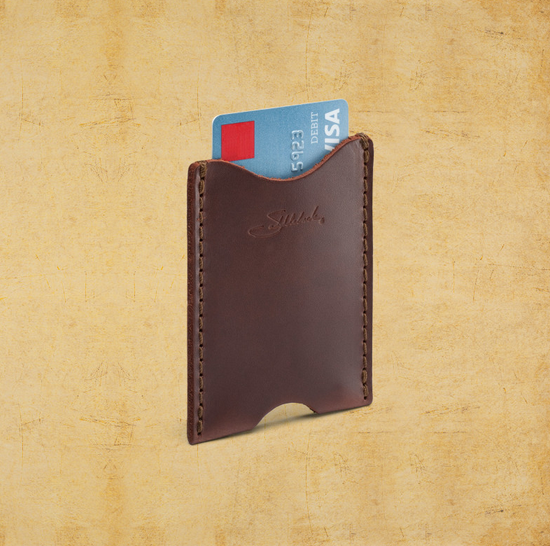
Saddleback Leather "Sleeve Wallet" - Picture courtesy of saddlebackleather.com

Saddleback Leather “Sleeve Wallet” – Picture courtesy of saddlebackleather.com

Posted in Made in the USA, Upgrade | Comments Off on Saddleback Leather – Sleeve Wallet

Lollipop

So US Cellular finally released android 5.1 for my 2013 moto x. And, I love it!

Posted in Computers and Hardware, Technology, Upgrade | Comments Off on Lollipop

Tracy

I’ve never felt as
Weak nor as strong
As I have
The past week long.

Holding the world up
But can’t stay standing.
No sleep on the menu,
Only labor demanding.

We made it through
And 6 days later,
We’ve found ourselves
In a place way better.

I thank the Lord.
I doubt myself.
I’m not fully sure
What this was all about.

All I know is
I did my best.

– Joseph Raymond 2015

Posted in Poetry | Comments Off on Tracy

Tracy Nichelle Raymond

On August 18, 2015 our beautiful little girl was born.  Welcome, little one.

Posted in Home and Homestead, Personal | Comments Off on Tracy Nichelle Raymond

Command line combine pdfs

The other day I needed to combine some pdf files into a single multi-page file.  I hadn’t done this in linux before, so I did some searching on the ol’ internet.  Sure enough, found an easy solution.  UbuntuGeek.com shared this tool: PDFTK.  This is the perfect tool and works with a little command line magic.

First, install PDFTK with this:  sudo apt-get install gs pdftk

Then run it to combine PDF’s with this: gs -dNOPAUSE -sDEVICE=pdfwrite -sOUTPUTFILE=combined.pdf -dBATCH 1.pdf 2.pdf 3.pdf

That command is for where you are combining 1.pdf, 2.pdf, and 3.pdf into one pdf called combined.pdf.

That’s it!

Posted in Computers and Hardware, Web/Internet | Comments Off on Command line combine pdfs